Social Media & Creator Tools
Submagic
Edit shorts 10x faster with AI
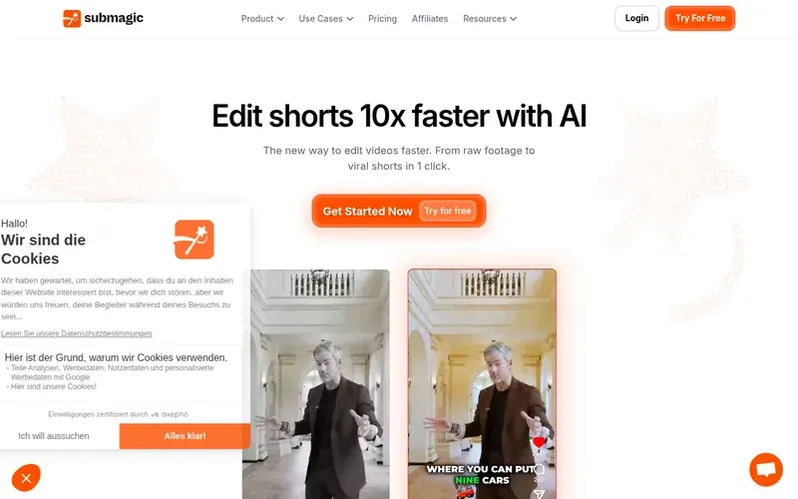
AI-powered platform for creating and editing short-form videos with automatic captions, B-roll, auto-zoom, and smart edits.
What it is
Submagic is an AI-powered platform that helps teams and businesses create captivating short-form videos in seconds. It automates the editing process by generating captions in 123+ languages with 99% accuracy, adding B-roll footage, removing silences, and finding key moments automatically.
The platform removes manual editing tasks so users can publish more content faster without sacrificing quality. It supports uploading videos or YouTube links, then uses AI to automatically detect highlights, add captions, and format clips for short-form platforms like TikTok, Reels, and Shorts.
Submagic enables teams to collaborate in a shared workspace where everyone can upload, edit, review, and export videos together. It supports high-quality exports up to 4K resolution and 60fps, and allows scheduling and publishing directly across multiple channels.
First things you notice
- AI auto captions in 123+ languages
- Automatic B-roll insertion
- Magic Clips - turn one video into multiple shorts
- Auto-zoom and transitions
- AI avatars for video creation
- Team collaboration workspace
- Social media scheduling and publishing
- AI video translator
- Sound effects and background music
- Export up to 4K and 60fps
Pricing
Pricing model: Freemium
In brief
- How do I create a short with Submagic?
- Upload your video, and Submagic's AI automatically detects highlights, adds captions, and formats the clip for short-form platforms. You can edit the result like text and export in minutes.
- Can I turn a long video into multiple shorts?
- Yes. Upload a long-form video such as a podcast or interview. Submagic finds key moments and turns one video into multiple ready-to-post shorts automatically.
- Does Submagic add captions automatically?
- Submagic generates captions automatically in multiple languages and applies modern, readable styles optimized for short-form viewing with 99% accuracy.
- Does Submagic support team collaboration?
- Yes. Invite your team into a shared workspace where everyone can upload, edit, review, and export videos together in real time.
- What quality levels are available for export?
- Submagic supports high-quality exports up to 4K resolution and 60fps, ensuring your videos look sharp on every platform.
Submagic has a free listing. The owner can unlock the full profile with a paid launch for $5:
- Founder story (locked)
- Milestones (locked)
- Demo video (locked)
- Dofollow website link (locked)