AI Media Generation

Captions
AI That Edits Like a Professional Editor
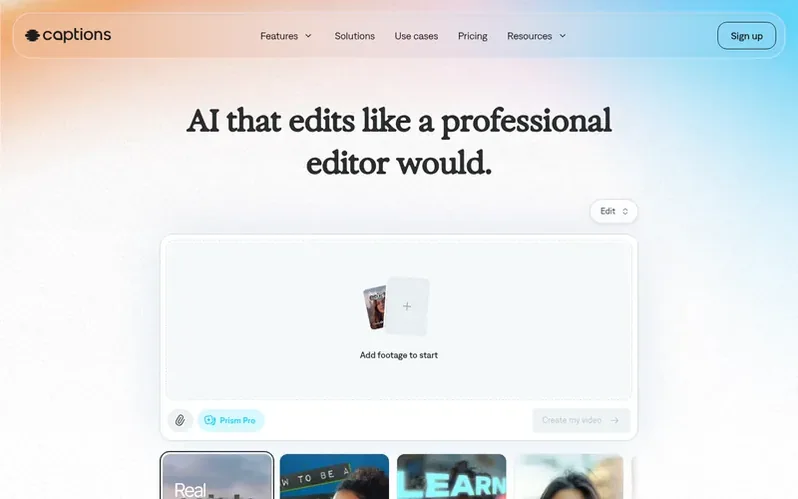
An AI video editor that produces fully-edited videos by uploading existing footage or generating new footage with AI-powered editing, avatars, captions, and translation capabilities.
What it is
Captions is an AI-powered video editing platform that automates the video production process from start to finish. Users can upload existing footage and let AI handle editing tasks like cutting scenes, adding B-roll, and applying transitions, or generate entirely new content using AI avatars and generative capabilities.
The platform offers a chat-based editor for making changes, automatic caption generation in over 100 languages, AI avatars (both digital twins and pre-built options), and advanced features like eye contact correction, background noise removal, and pause trimming. Users can edit various video formats including vertical and horizontal content.
Captions serves creators, businesses, and professionals across industries including ecommerce, education, healthcare, marketing, and real estate. The platform is available on iOS, Android, and web, with both free and paid subscription tiers offering different levels of AI credits and features.
First things you notice
- AI Edit with multiple styling options
- AI avatars and digital twins
- Automatic captions in 100+ languages
- Eye contact correction
- Background noise removal
- Pause trimming and filler word removal
- AI-generated music and sound effects
- Chat-based editor for simple prompts
- Video clip creation from longer content
- AI-generated B-roll, images and voiceovers
Pricing
Pricing model: Freemium
Free plan with limited features, Max plan at $24.99/month, Frontier plans at $69.99/month (1x), $139.99/month (2x), or $279.99/month (4x), and custom Enterprise pricing.
In brief
- What is the Captions app?
- Captions is an AI video editor that produces fully-edited videos. You can upload existing footage and use easy AI editing tools to finish the project, or generate entirely new footage without having to record. The platform guides you through suggested edits with its AI editor, empowering you to make any video regardless of expertise.
- How do I get Captions?
- You can use Captions on your phone or computer. To start online, sign up in your browser, or download the app from the App Store or Google Play.
- Is Captions free to use?
- Captions is free to download and you can access some features without a subscription. To unlock all capabilities and get professional-quality videos, you'll want to sign up for one of the paid plans. There is a free version that includes basic tools like trimming, transitions and some media library assets.
- What types of videos can Captions edit?
- You can edit a wide range of video types and formats, including vertical and horizontal video. Captions works well for social content, video ads, podcast clips, tutorials, product assets, and more.
- Does Captions edit my whole video for me?
- Yes, Captions is designed to remove the heavy lifting so you can do the entire video all in one app. It handles everything from start to finish automatically, editing and stylizing your video with custom zooms, B-roll, music, transitions, and more. You can use the simple editor for tweaks, but time-consuming and specialized tasks are handled for you.
Captions has a free listing. The owner can unlock the full profile with a paid launch for $5:
- Founder story (locked)
- Milestones (locked)
- Demo video (locked)
- Dofollow website link (locked)
Also discovered
- getimg.aiThe ultimate AI creative platform for image, video, music, speech, and sound effects
 PlaygroundThe AI design studio for everyone
 ClipdropCreate stunning visuals in seconds with AI.
 HedraVisual Inference Models and Infrastructure